
Download EasyMark – AI‑Powered Essay Grading Tool for Educators
Overview
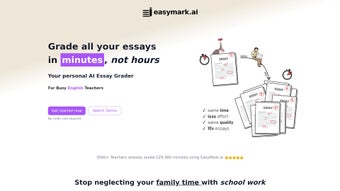
EasyMark is a cloud‑based, AI‑driven essay grading platform that transforms the way teachers assess written work. Designed with the modern classroom in mind, the service combines lightning‑fast processing, deep linguistic analysis, and a flexible rubric system to deliver scores and actionable feedback in as little as thirty seconds per submission. By accepting PDF uploads directly, EasyMark eliminates the tedious copy‑and‑paste step that often slows down traditional digital grading workflows.
The AI engine evaluates essays on multiple dimensions—including thesis clarity, argument development, evidence use, organization, grammar, and style—while also flagging common pitfalls such as run‑on sentences, passive voice overuse, and citation errors. Teachers can tailor the grading criteria to match district standards, state benchmarks, or individual course objectives, ensuring that the assessment remains aligned with instructional goals. In addition to grading, EasyMark generates comprehensive error reports that highlight specific language issues and provide targeted improvement suggestions, fostering a growth‑mindset for students.
Security is baked into the platform: all data is encrypted at rest with AES‑256 and in transit via TLS 1.3, and the service complies with FERPA, GDPR, and other privacy regulations. Whether you are a high‑school English teacher, a college composition professor, or an ESL instructor, EasyMark offers a scalable, reliable, and pedagogically sound solution that saves hours of manual grading while preserving the nuance and rigor of human evaluation.
Key Features
- Instant 30‑Second Grading: AI evaluates essays in half a minute, delivering scores, rubric marks, and feedback instantly.
- Fully Customizable Rubrics: Build, save, and reuse rubrics that reflect your curriculum, standards, and weighting preferences.
- Bulk PDF Processing: Upload up to 200 PDFs per batch; the system grades each document sequentially without manual intervention.
- Rich PDF Support: Direct PDF ingestion preserves original formatting, footnotes, and embedded images, eliminating copy‑paste errors.
- Detailed Error Reporting: Highlights grammatical, syntactic, and structural issues with concrete suggestions for revision.
- Student‑Centric Feedback: Generates personalized improvement tips that guide learners toward stronger writing habits.
- Secure Cloud Architecture: AES‑256 encryption, TLS 1.3 transport security, and optional two‑factor authentication protect all data.
- Continuous Learning Engine: The AI model refines its analysis over time, adapting to your teaching style and subject‑specific terminology.
- LMS Integration Suite: Seamlessly export grades to Canvas, Google Classroom, Moodle, Blackboard, and other major learning management systems.
- Free Trial & Tiered Pricing: Start with a 14‑day full‑feature trial; subscription plans begin at $29 USD per month per teacher, with volume discounts for institutions.
Each feature is engineered to reduce administrative overhead while enhancing instructional impact. For example, the custom rubric builder lets you map each rubric criterion to a specific learning outcome, enabling you to generate data‑driven reports that inform curriculum adjustments. Meanwhile, the bulk processing engine leverages parallel computing in the cloud, ensuring that even large classes of 300‑plus essays are graded within minutes. The integration suite uses secure APIs to push grades directly into your LMS gradebook, eliminating the need for manual CSV uploads and reducing the chance of data entry errors. Together, these capabilities make EasyMark not just a grading shortcut, but a strategic teaching tool that aligns assessment, feedback, and data analytics in a single, secure environment.
Installation, Usage & Compatibility
EasyMark is a pure web application, so there is no traditional software installation required on a desktop or laptop. All you need is a modern browser—Chrome, Edge, Firefox, or Safari—and a stable internet connection. The platform is built on responsive design principles, meaning it automatically adapts to the screen size of desktops, laptops, tablets, and smartphones. This cross‑device compatibility lets teachers grade from the classroom, office, or while traveling.
- Create Your Account: Navigate to easymark.io, click “Sign Up,” and register with a school‑issued email address. Verify the account via the confirmation link sent to your inbox.
- Configure a Rubric: After logging in, select the “Rubrics” tab. Use the drag‑and‑drop editor to add criteria such as Thesis, Evidence, Organization, Grammar, and Style. Assign point values, weightings, and optional descriptors for each level of performance.
- Upload Essays for Grading: Go to the “Bulk Grading” dashboard. Drag and drop PDF files or click “Browse” to select them from your computer. The interface shows a progress bar for each file, and you can monitor real‑time status updates.
- Select Rubric & Initiate Grading: Choose the rubric you just created, then press “Start Grading.” The AI engine processes each document, producing a numeric score, a completed rubric sheet, and a narrative feedback report.
- Review Results & Export: Once grading finishes (typically within a few minutes for large batches), click “View Reports.” Export the data as CSV, PDF, or push it directly to your LMS via the integration panel.
- Fine‑Tune Feedback (Optional): If the AI’s comments need adjustment, use the “Feedback Editor” to customize language, add teacher notes, or suppress false positives.
Compatible with Windows, macOS, Linux, Chrome OS, Android, and iOS through any supported browser. For educators who prefer a native experience, EasyMark also offers progressive web‑app (PWA) capabilities, allowing you to “install” the site on your device’s home screen for offline access to previously downloaded reports (note: new grading requires an internet connection). Two‑factor authentication (SMS or authenticator app) can be enabled from the account security settings, adding an extra layer of protection for sensitive student data. The platform’s privacy controls let administrators set data retention policies, export logs for audits, and revoke user access instantly if staff turnover occurs.
Pros, Cons & Frequently Asked Questions
Pros
- Ultra‑fast grading saves teachers several hours each week.
- Highly customizable rubrics align assessment with curriculum standards.
- Bulk PDF handling eliminates repetitive file conversion and manual entry.
- Actionable, student‑focused feedback promotes writing improvement.
- Robust security meets FERPA, GDPR, and institutional privacy requirements.
- Seamless LMS integrations reduce administrative workload.
- Responsive web design works on desktops, tablets, and smartphones.
- Continuous learning engine adapts to subject‑specific language over time.
Cons
- Initial setup of complex rubrics can be time‑consuming for new users.
- Requires a reliable internet connection; offline grading is not supported.
- AI may misinterpret highly creative or unconventional essay structures, requiring manual review.
- Full‑feature bulk grading beyond the trial limits requires a paid subscription.
- Current file support is limited to PDFs, though DOCX and plain‑text support are slated for future releases.
Frequently Asked Questions
How does EasyMark ensure the security of student data?
All data is encrypted at rest with AES‑256 and transmitted using TLS 1.3. Accounts require school‑verified email addresses, and two‑factor authentication can be enabled for added protection. EasyMark complies with FERPA, GDPR, and other regional privacy standards, and administrators can set data‑retention and access‑revocation policies at any time.
Can I export grades directly to my learning management system?
Yes. EasyMark offers native integrations with Canvas, Google Classroom, Moodle, Blackboard, and several other LMS platforms. After grading, simply click “Export to LMS,” select the destination, and the system will map scores to the appropriate assignment automatically.
What file formats can I upload for grading?
Currently EasyMark accepts PDF files only. The AI engine extracts text reliably from most PDF generators. Upcoming updates will add support for DOCX and plain‑text formats.
Is there a free version or trial available?
EasyMark provides a 14‑day free trial with full access to all features. After the trial, subscription plans start at $29 USD per month per teacher, with discounted rates for districts and higher‑education institutions.
How does the AI handle essays from non‑native English speakers?
The AI model has been trained on a diverse corpus that includes ESL essays. It identifies typical language‑transfer errors and provides culturally sensitive suggestions, helping non‑native writers improve without penalizing them for accentuated phrasing.
Conclusion & Call to Action
In today’s fast‑paced educational environment, teachers need tools that amplify efficiency without sacrificing the depth of assessment. EasyMark delivers exactly that: a secure, AI‑powered grading engine that handles bulk PDF uploads, offers fully customizable rubrics, and returns detailed, student‑focused feedback in seconds. By integrating seamlessly with popular LMS platforms and adhering to strict privacy standards, the solution fits naturally into existing workflows while freeing educators to focus on instruction, mentorship, and curriculum design.
Whether you are looking to reduce grading time, provide richer feedback, or gather data‑driven insights for instructional improvement, EasyMark stands out as a forward‑thinking, reliable ally. Ready to transform your grading process and empower your students? Start your free 14‑day trial today and experience the future of essay assessment.
Overall Rating: 5 out of 5 stars
Pros: Speed, rubric flexibility, security, LMS integration, student‑centered feedback.
Cons: Requires internet, premium bulk‑grading tier is subscription‑based.



.png)



